Settings Simplification Gives MdWrk a Faster Path from Installation to Daily Use
MdWrk refines its settings UX with cleaner labels and a calmer navigation model, helping users move from install to configuration with more momentum and less friction.
What improves
- settings labels become cleaner and faster to scan
- the active workspace experience gains a calmer visual rhythm
- configuration panels become easier to review in sequence
Screenshot
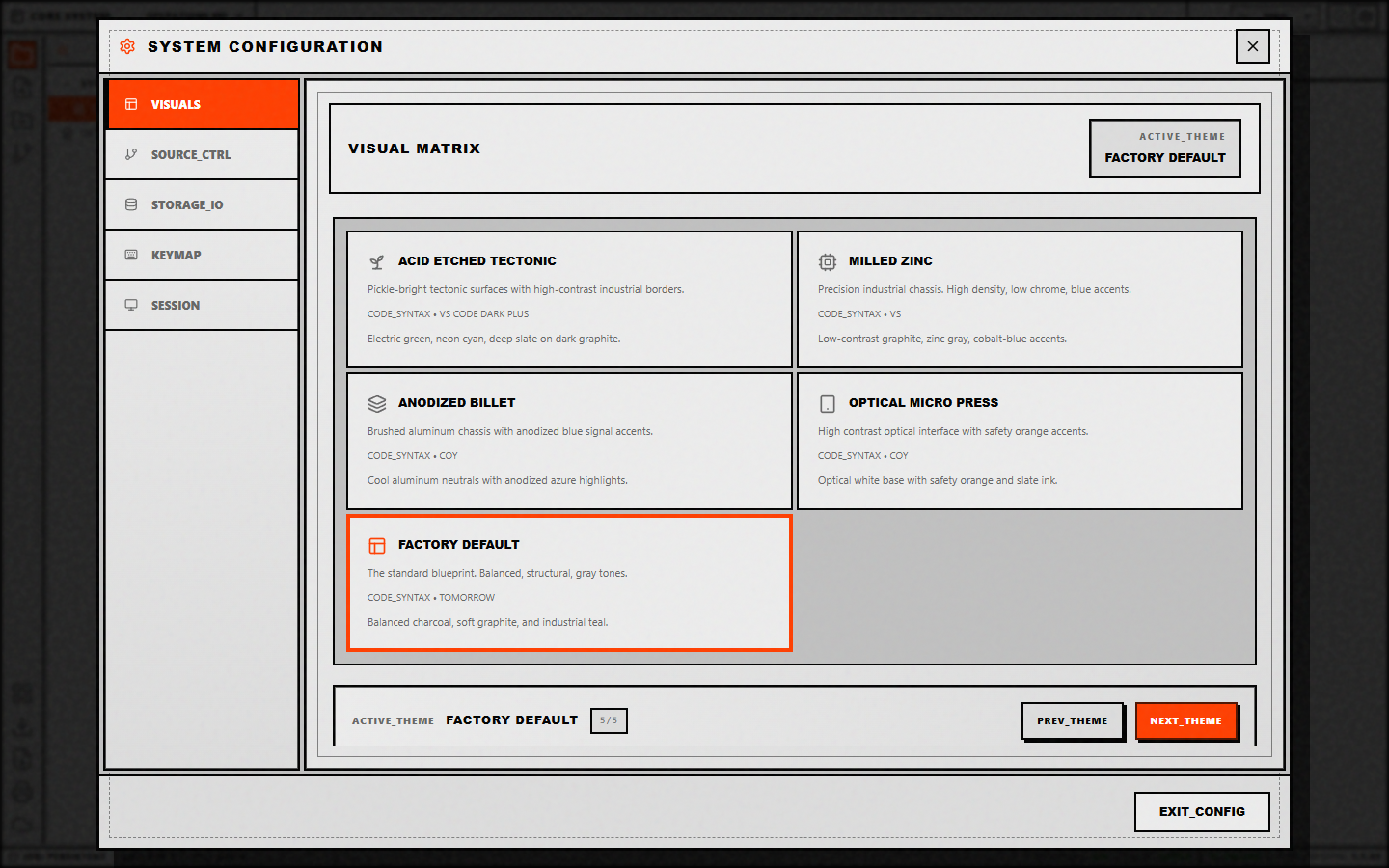
Current docs for configuration and setup
Example setup flow
- Install the client through the path that fits your team.
- Open settings and tune theme, language, and workspace preferences.
- Move into writing, extensions, or Git workflows with the same navigation language.
MdWrk now carries a stronger onboarding story because the settings surface communicates action, structure, and next steps in a cleaner form.